

Alarms
Alarm notification settings
Notification delivery methods, recipient lists, alarm levels and message fields.
This article explains how to configure notification settings within the Alarm Wizard, including setting up recipient lists, defining alarm levels, and customising notification message content. This article is intended for tenant administrators.
Notification delivery methods
Section titled “Notification delivery methods”When an alarm condition is met, Orion Data sends a notification to the relevant recipients via one or both of the following methods:
- SMS — a text message sent to the recipient’s registered mobile number
- Email — a message sent to the recipient’s registered email address
Both methods can be configured independently, allowing different recipients to receive notifications through different channels.
Recipient lists
Section titled “Recipient lists”Recipient lists define who receives alarm notifications. Tenant administrators can create multiple recipient lists and assign them to alarms as required.
To access recipient lists, navigate to Alarm Wizard > Recipient Lists.
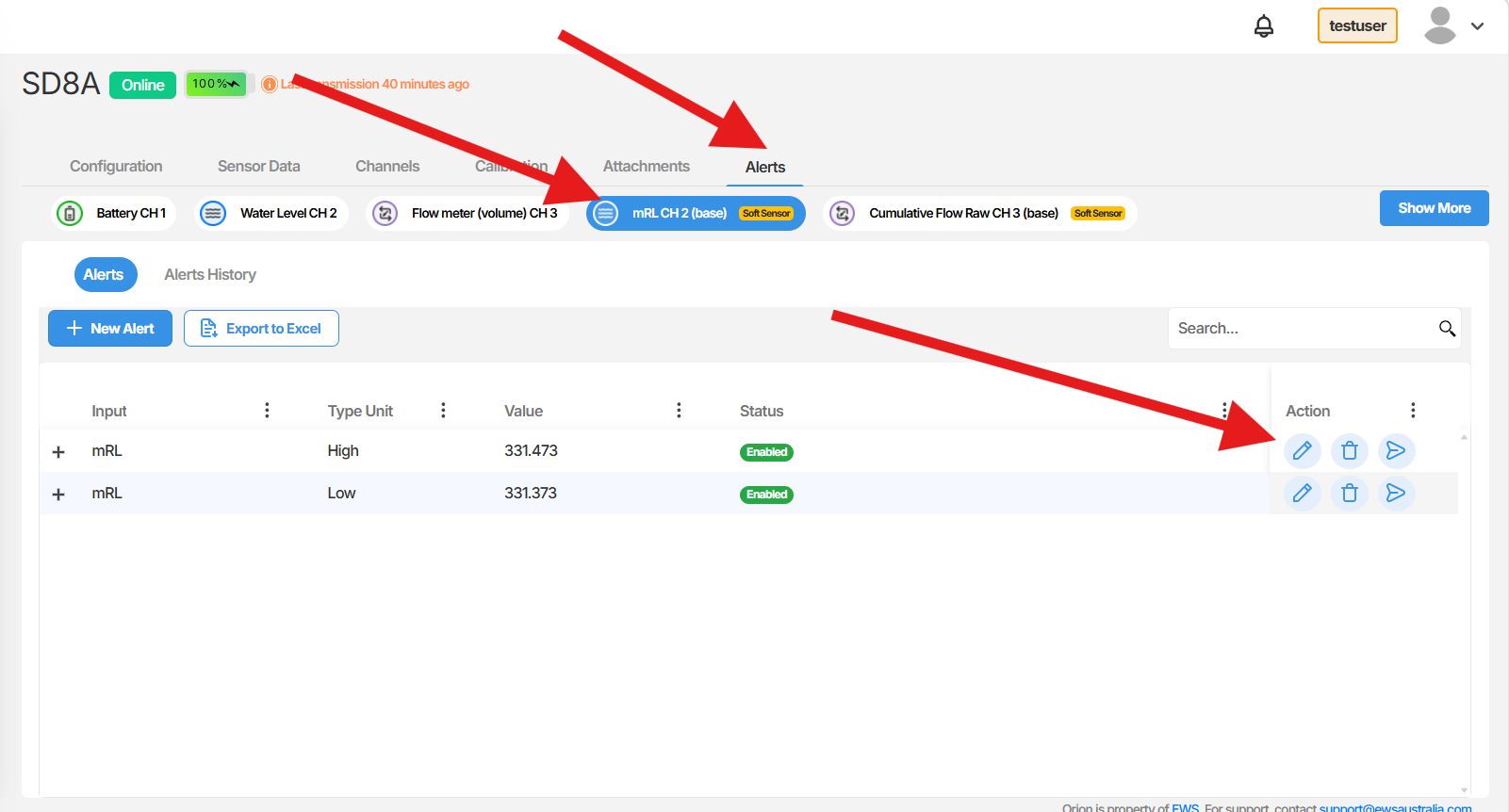
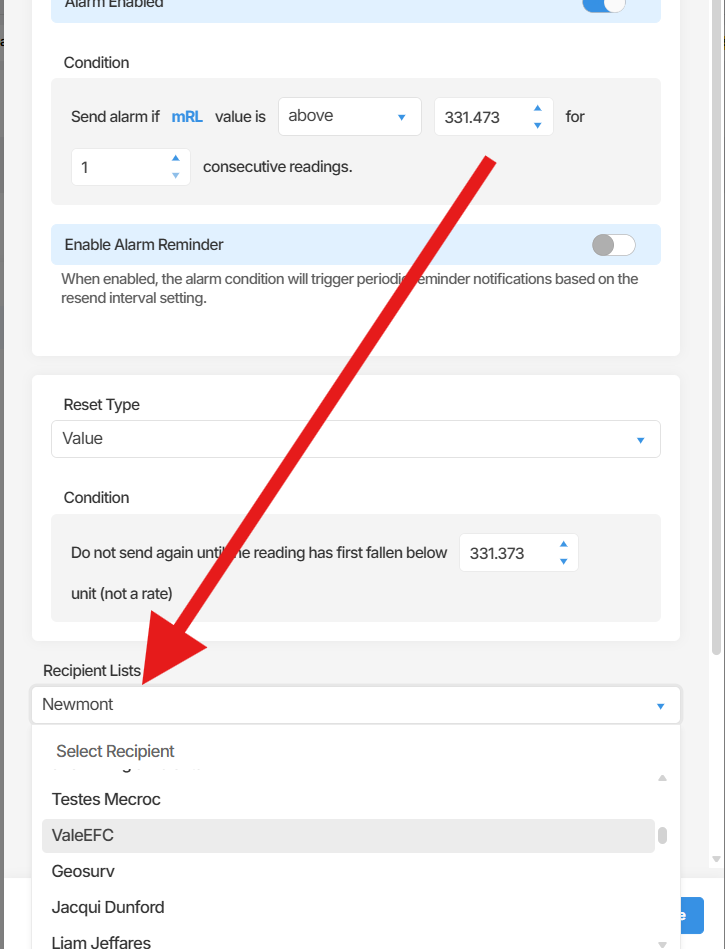 When setting up a recipient list, you can assign separate recipients for SMS and email notifications. It is recommended to include multiple contacts in each list to ensure that important alerts reach the right people if a primary contact is unavailable.
Alarm levels
Section titled “Alarm levels”A single sensor channel can have multiple alarm levels configured, each with its own threshold and notification content. This allows you to send different messages depending on the severity of the condition. For example, you might configure:
- A Low level alarm for an early warning threshold
- A Medium level alarm for a more significant deviation
- A High level alarm for a critical condition requiring immediate action
Each alarm level can have its own recipient list and notification message, giving you precise control over who is notified and what they are told at each severity tier.
Notification message content
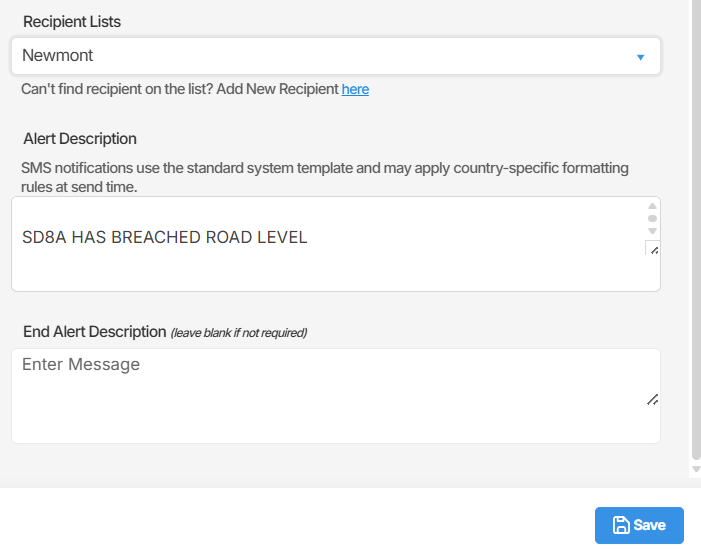
Section titled “Notification message content”Each alarm level includes two text fields for customising the notification message sent to recipients.
Alarm body The main content of the notification message. Use this field to describe the alarm condition and provide any relevant context or instructions for the recipient.
End alert description An optional field for describing the condition when the alarm clears or resolves. Leave this field blank if no end alert message is required.
 What recipients receive
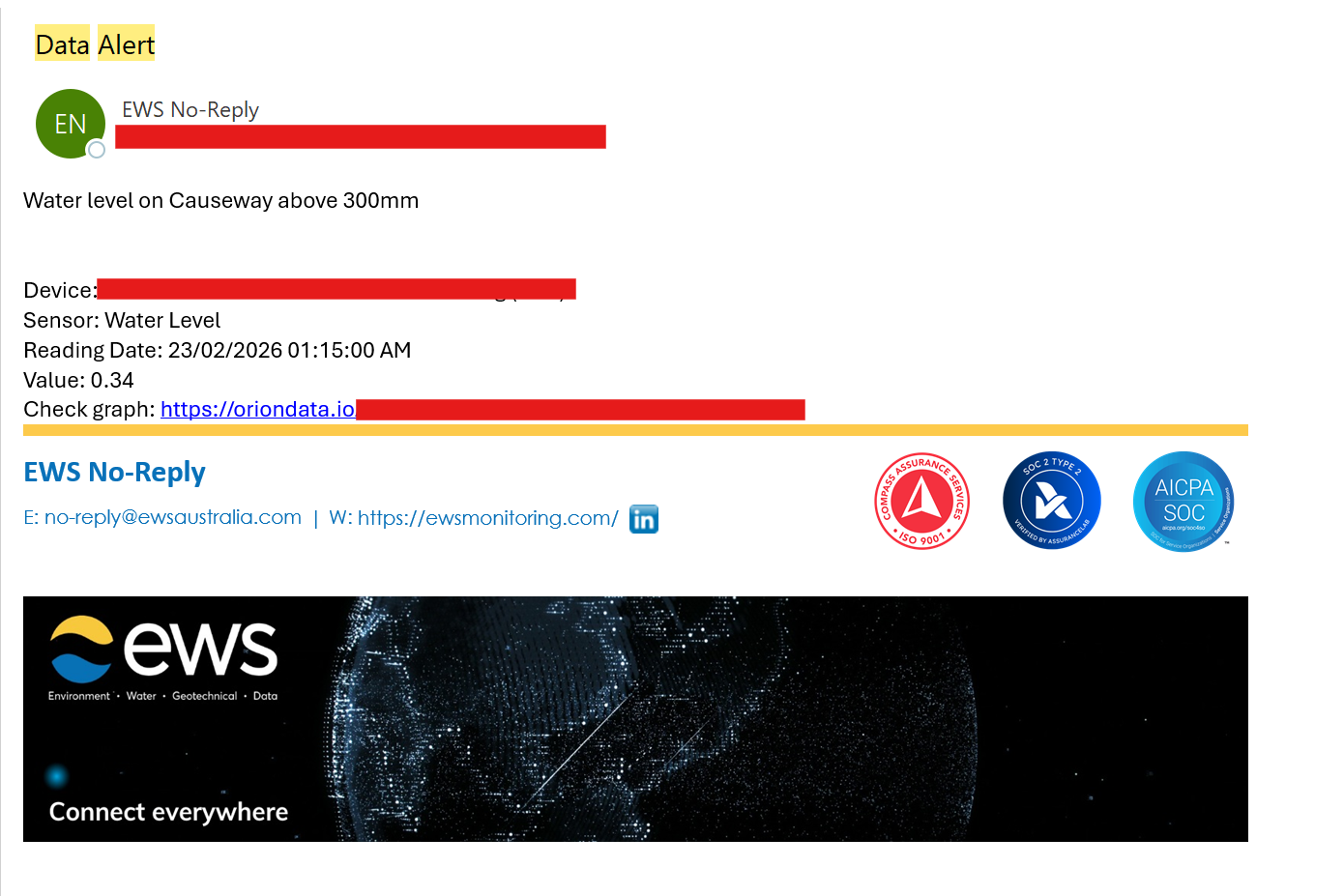
In addition to the custom message content you configure, every notification automatically includes the following information:
| Field | Description |
|---|---|
| Device | The name of the device associated with the alarm |
| Sensor | The type of sensor that triggered the alarm |
| Reading Date | The date and time of the reading that triggered the alarm |
| Value | The sensor value that met the alarm condition |
| Check Graph | A link to the sensor graph for further investigation |
 Summary
This article covered how to configure alarm notification settings in Orion Data. You learned how to set up recipient lists within the Alarm Wizard, configure multiple alarm levels on a single sensor channel, customise the notification message body and end alert description, and understand what information recipients receive when an alarm is triggered.
Next Steps
Section titled “Next Steps”- Review your existing recipient lists to ensure the correct contacts are assigned for each alarm
- Configure alarm levels on your sensor channels to reflect the appropriate severity thresholds for your monitoring requirements
- Test your alarm notifications to confirm that SMS and email delivery is working as expected