

Build and share dashboards
Create a dashboard
Create a dashboard, give it a name and start adding sensor-data widgets.
This article explains how to create a new dashboard, add widgets, and optionally share it with other users.
Before you begin
Section titled “Before you begin”You must have dashboard-editing permissions to create a dashboard. If you do not see the option to create a dashboard, contact your tenant administrator to request the appropriate access.
1. Open the Dashboards section
Section titled “1. Open the Dashboards section”Select the menu icon in the top-left corner of the screen, then select Dashboards from the navigation menu.
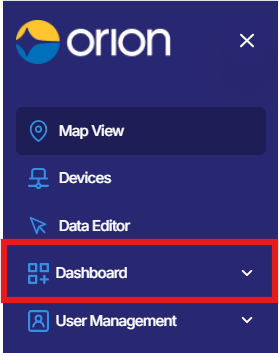
2. Create a new dashboard
Section titled “2. Create a new dashboard”From the Dashboards view, select New Dashboard or the + icon to begin creating a new dashboard.
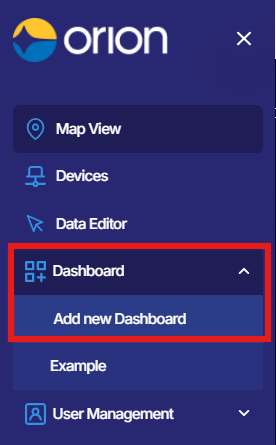
3. Set the dashboard name and description
Section titled “3. Set the dashboard name and description”Enter a clear Name for your dashboard. A descriptive name makes it easier to identify the dashboard later, for example “Site A - Piezos” or “Building 3 - Environmental”.
If a Description field is available, enter a brief summary of what the dashboard monitors. Select Save or confirm the details to create the empty dashboard.
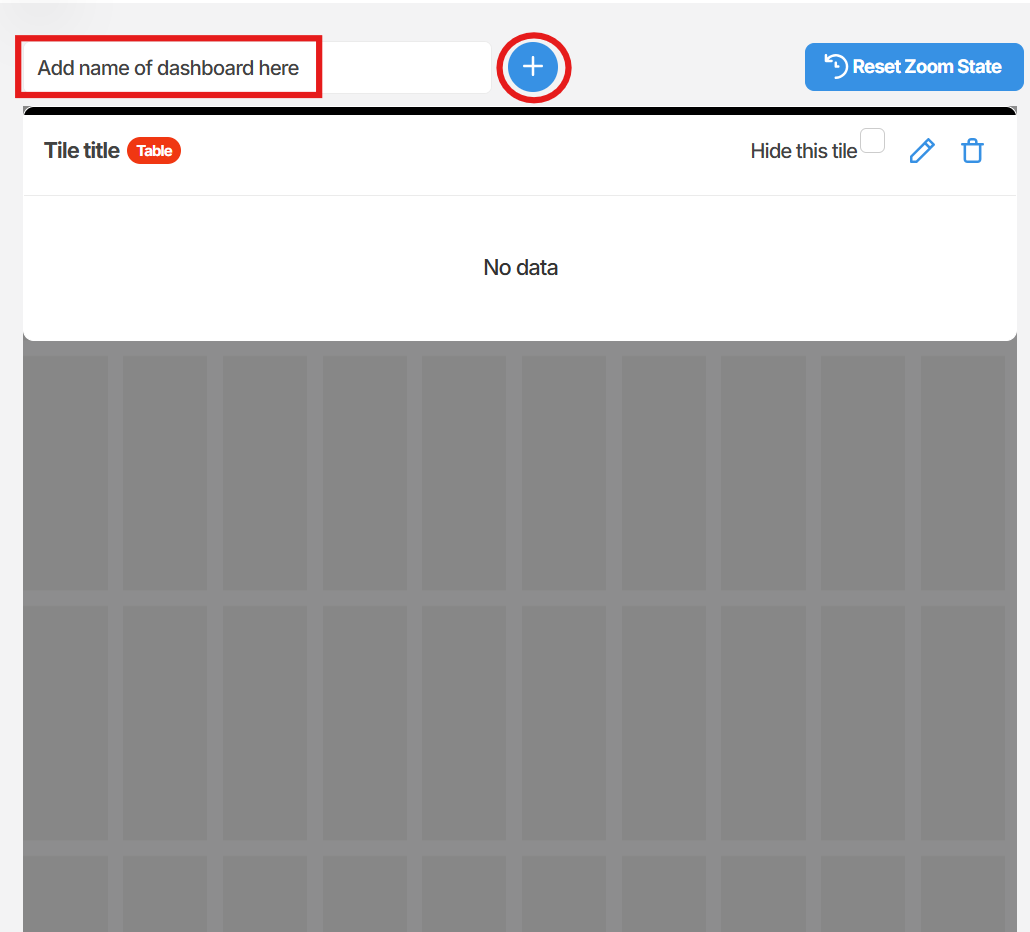
4. Add widgets
Section titled “4. Add widgets”On the empty dashboard, select Add Tile to open the widget selection panel.
Choose the widget type that suits the data you want to display, for example a time series chart, value tile, or table. Then select the device and sensor channel you want the widget to display.
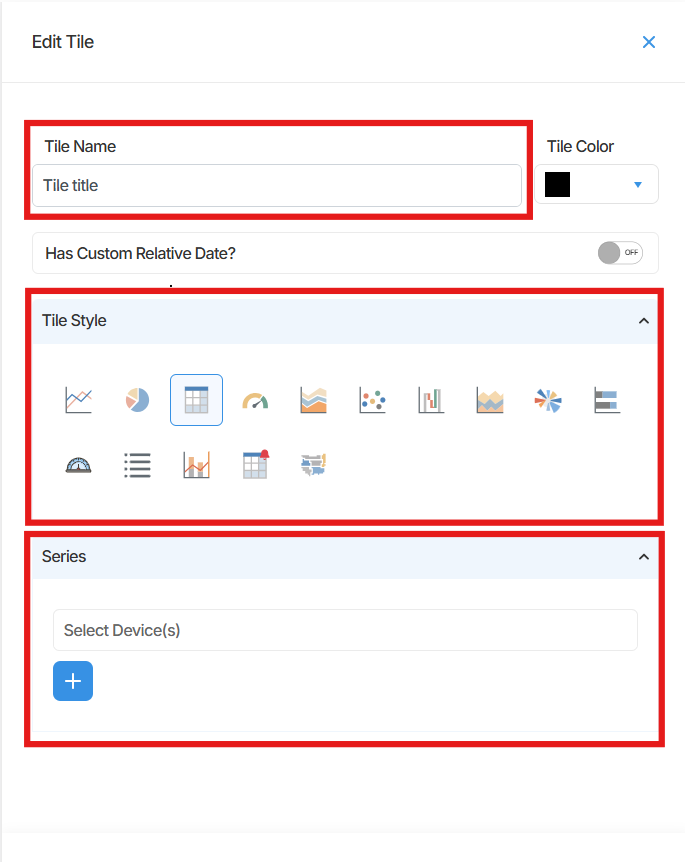
5. Arrange and save your layout
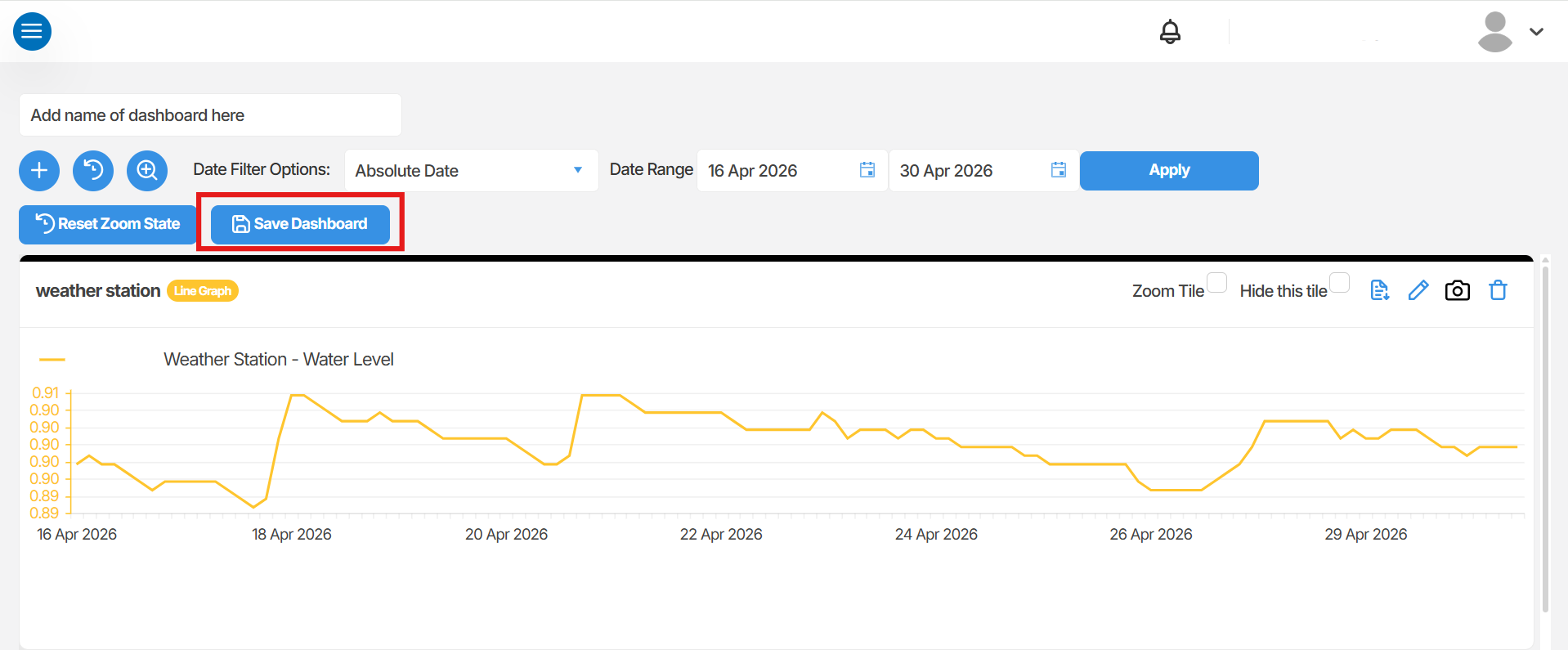
Section titled “5. Arrange and save your layout”Drag tiles into your preferred arrangement on the dashboard canvas. When you are satisfied with the layout, select Save or Save Layout to store your changes.
Summary
Section titled “Summary”This article covered how to create a dashboard in Orion Data, add widgets to visualise sensor data, arrange the layout, and optionally share the dashboard with other users. Dashboards provide a flexible way to monitor data from across your devices in a single view.
Next Steps
Section titled “Next Steps”- Share your dashboard with team members who need visibility of the same data
Related articles
Section titled “Related articles”- Understanding dashboards in Orion Data
- Share a dashboard
- Managing user access in Orion Data