

Transform sensor data
Convert sensor units
Create a calibration action that converts a sensor reading into the required measurement unit.
In some cases, those units may not match your preferred unit of measurement. For example, a water level sensor may transmit data in feet when your team works in metres. You can use the Calibrations feature to apply a mathematical conversion to the raw sensor value, so that Orion Data displays the reading in the correct unit. This article explains how to create a calibration that converts a sensor’s unit of measurement.
Before you begin
Section titled “Before you begin”Calibrations are configured at the device level, within the Calibrations tab of a specific device. You will need to know:
- Which device contains the sensor you want to convert
- Which sensor channel needs the conversion
- The mathematical formula required to convert the raw unit to your target unit
- Select the menu icon (three horizontal lines) in the top left-hand corner of the screen to open the navigation menu.
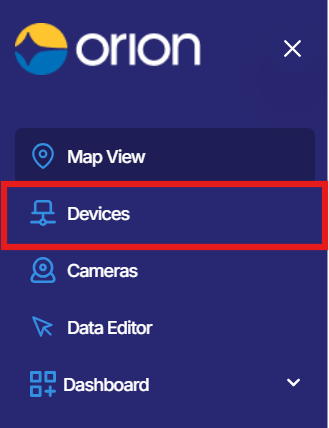
- Select Devices from the menu. The Devices page will open.
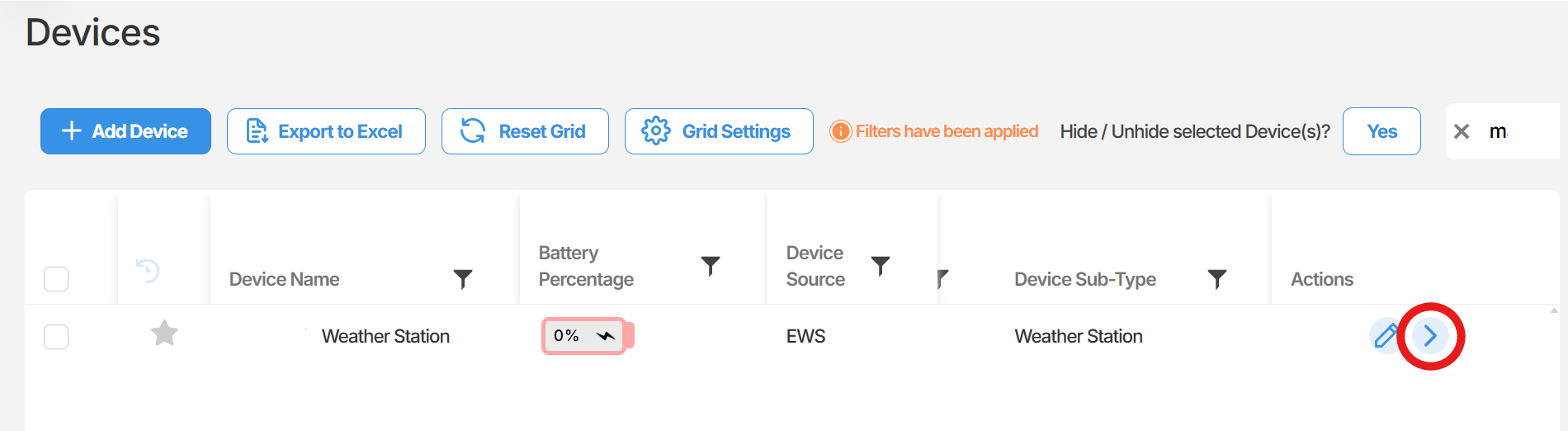
- Locate the device you wish to configure. Select the arrow icon on the far right of that device row to open the device.
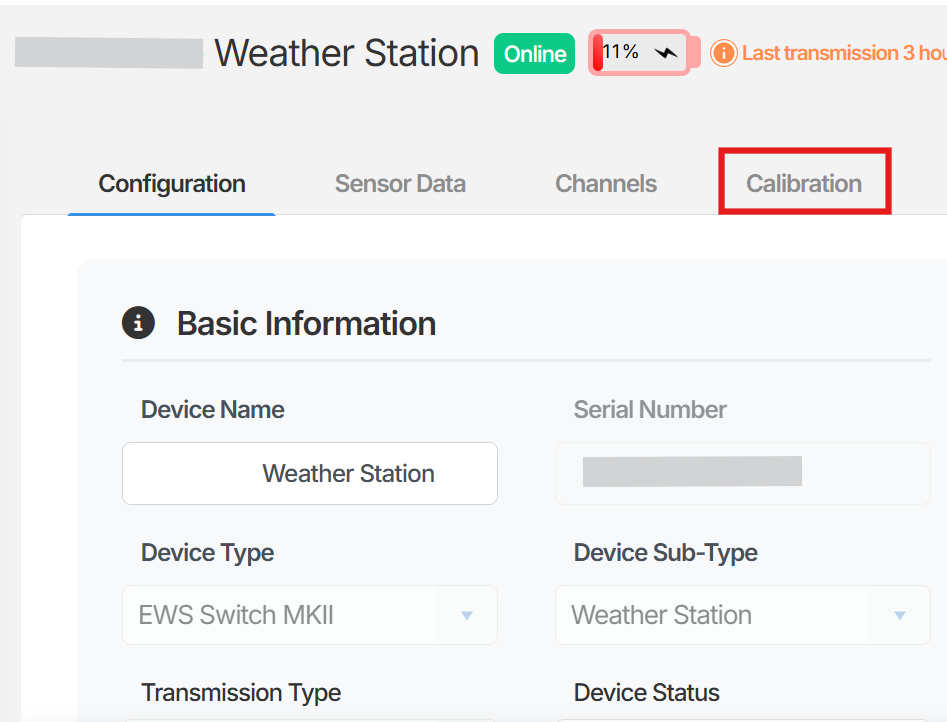
- Select the Calibrations tab within the device.
- Select the sensor channel you need to apply the unit conversion to.
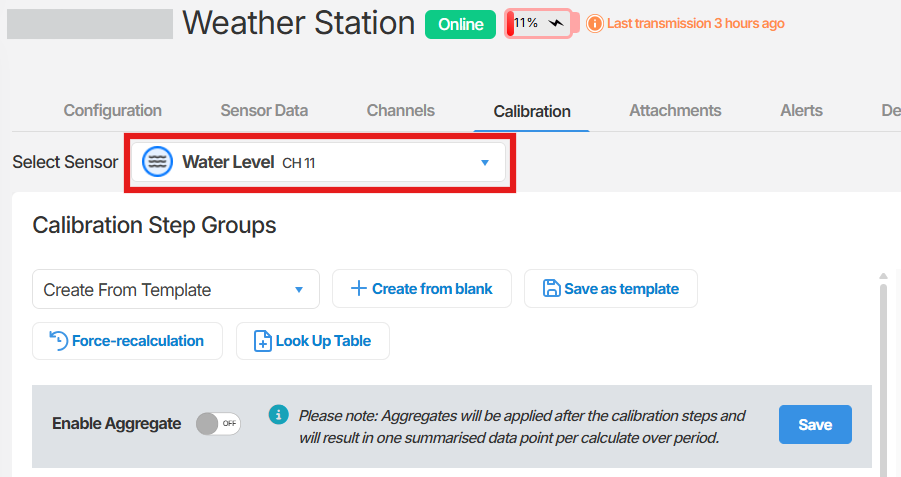
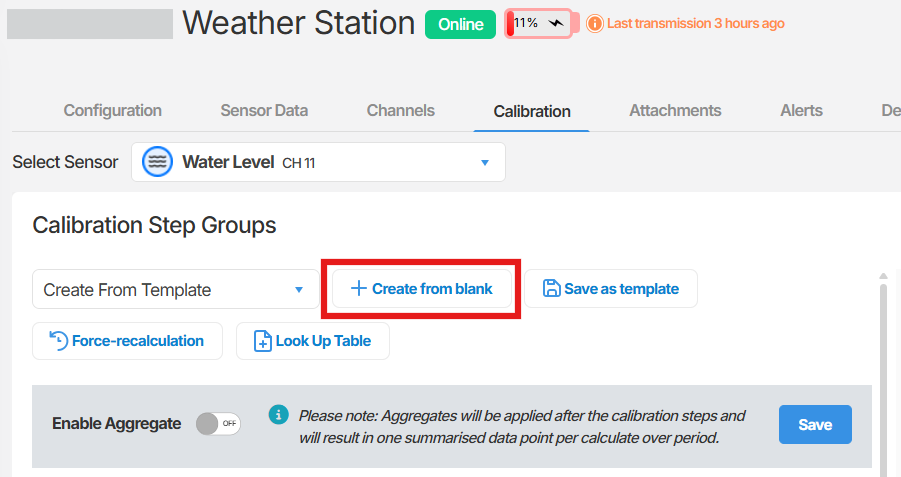
- Select Create from blank. A blank calibration page will open.
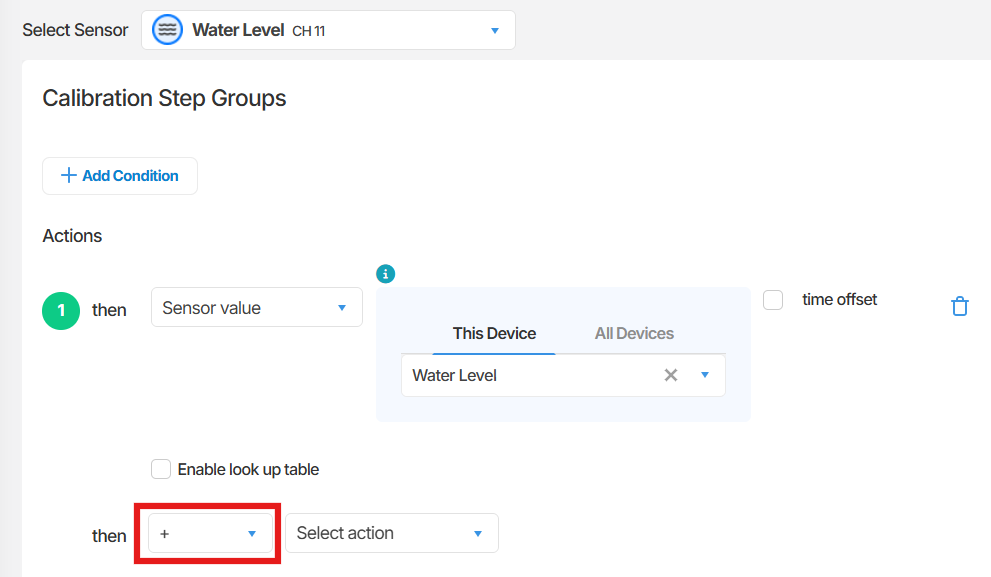
- Select Add Action. A new action row will appear.
- In the first Select action field, select Sensor value, then choose the sensor channel you are converting.
- Set the operator (the symbol between the two action fields) to match the mathematical operation required for your conversion:
| Conversion type | Operator to select |
|---|---|
| Addition | + |
| Subtraction | - |
| Multiplication | x |
| Division | / |
- In the second Select action field, select Value, then enter the conversion factor.
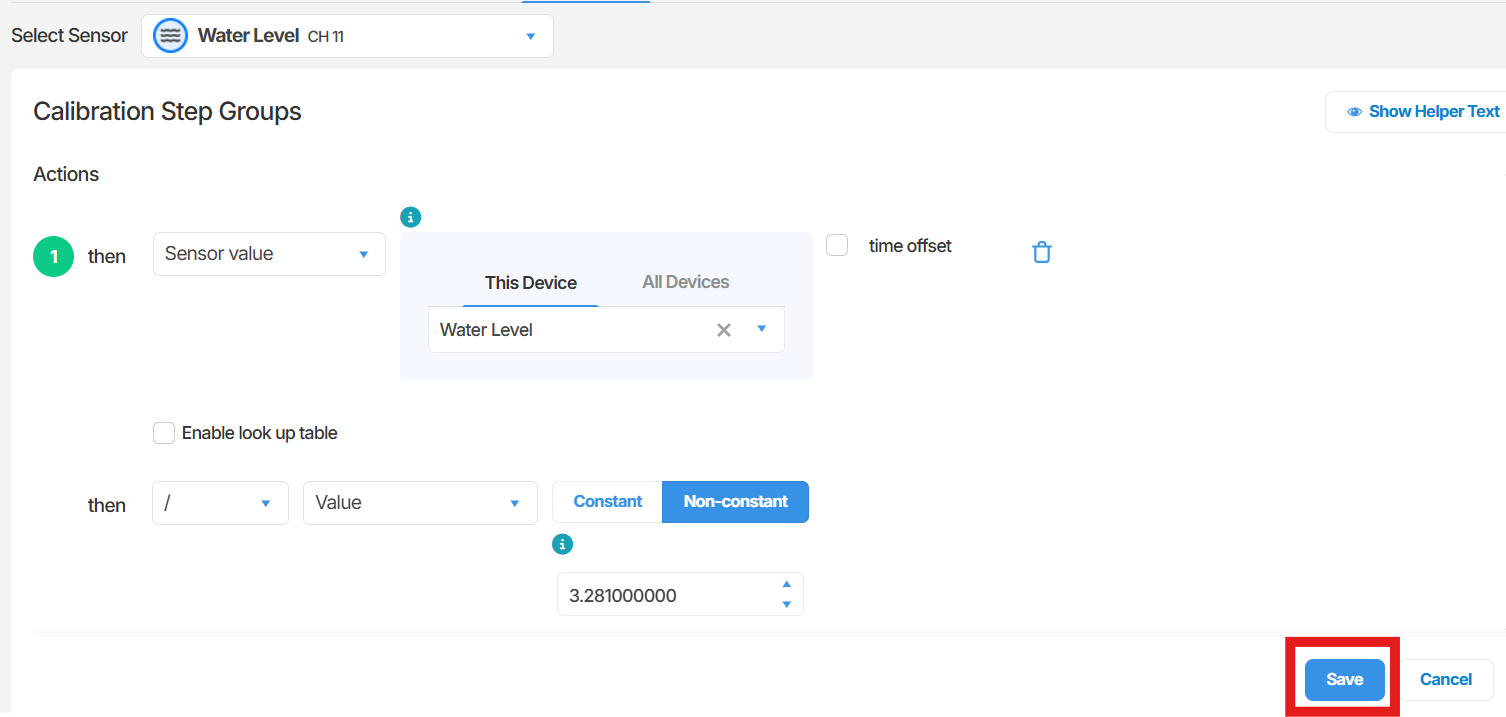
- Select Save. A confirmation window will appear.
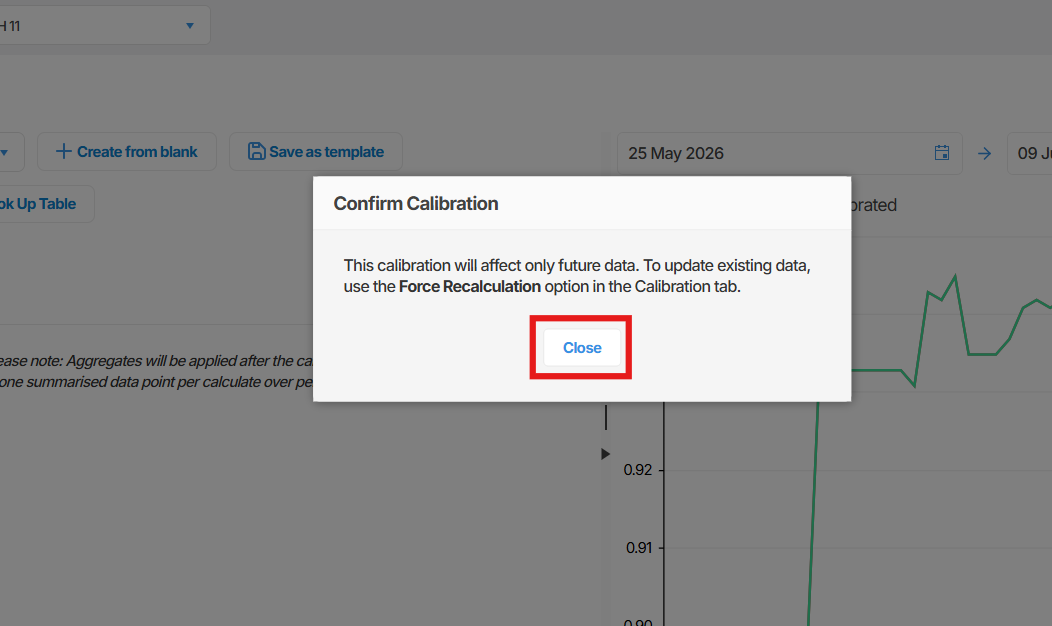
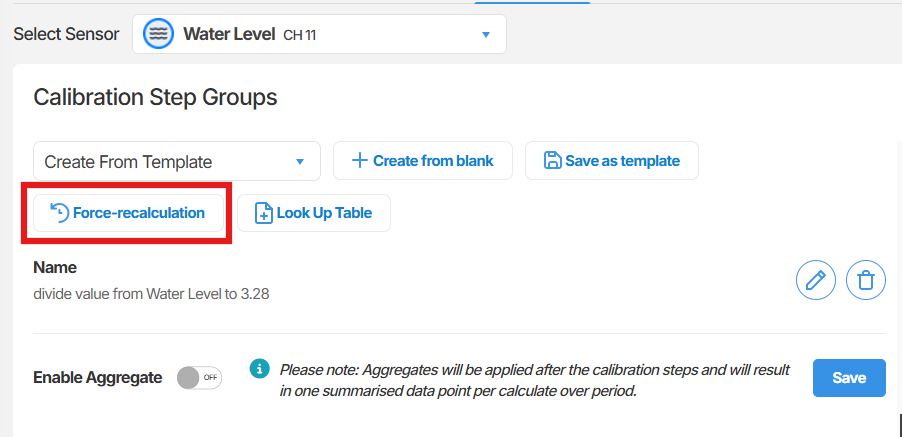
- In the confirmation window, select Close to apply the calibration to new data going forward. If you also want the conversion applied to your existing historical data, select Force recalculation before closing.

Summary
Section titled “Summary”This article covered how to create a calibration in Orion Data that converts a sensor’s raw unit of measurement to a preferred unit. You selected a sensor channel, defined a mathematical action using the sensor value and a conversion factor, and saved the calibration. You also had the option to apply the conversion retroactively to existing data using force recalculation.
Next Steps
Section titled “Next Steps”- Review other sensors on the same device to identify any additional unit conversions required
- Explore calibration conditions if you need the conversion to apply only under certain circumstances
- Contact your administrator if you require a calibration template to standardise this conversion across multiple devices
Related articles
Section titled “Related articles”- Calibrations and sensor values
- Using calibration templates
- Force recalculating calibration data
- Setting sensor alarm thresholds