

Manage access
Create a user
Enter a user account and its role and organisation assignments, then create it.
You will need the appropriate administrative permissions to complete this process.
-
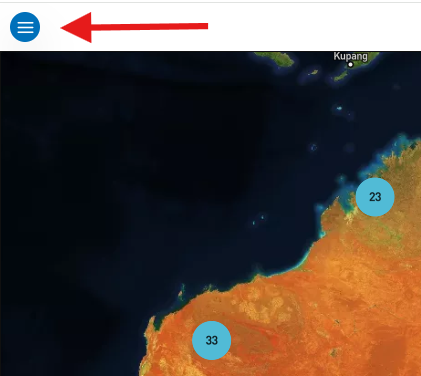
Select the menu icon (three horizontal lines) in the top left-hand corner of the screen.
-
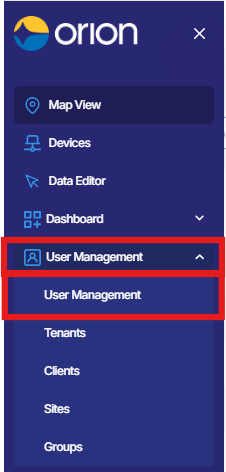
Select User Management from the navigation menu to expand the dropdown.
-
Select User Management from the dropdown options.
-
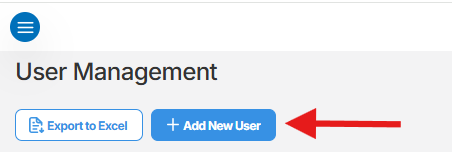
On the User Management page, select Add New User.
-
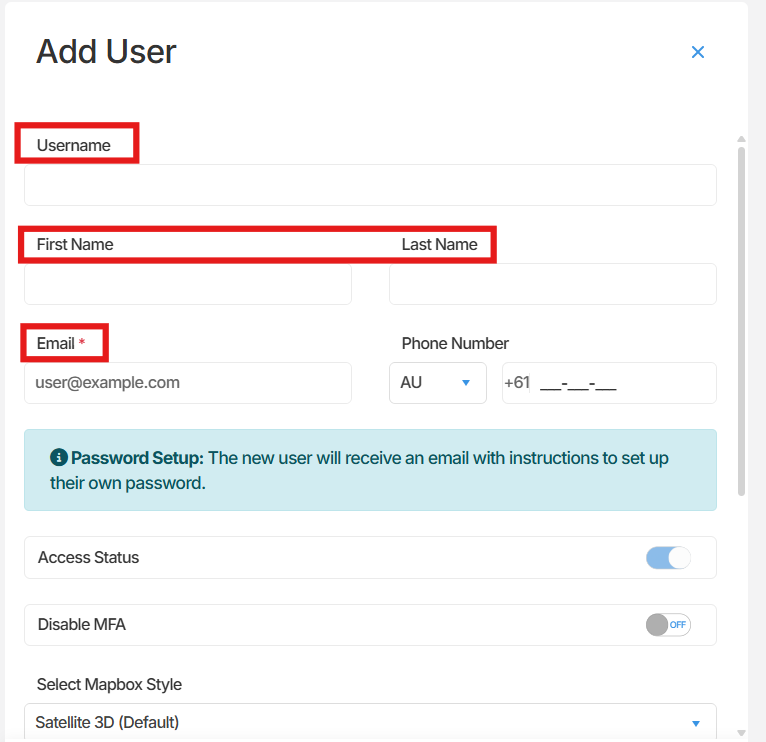
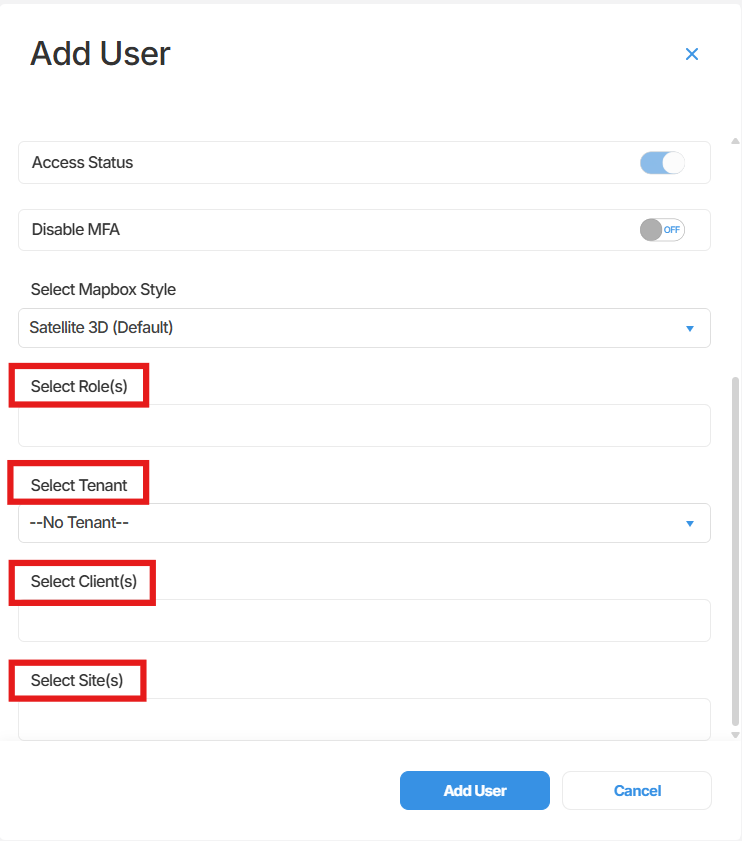
A panel will open on the right-hand side of the screen. Complete the following fields:
-
- Email - Enter the user’s email address.
- Name - Enter the user’s full name.
- Username - Enter the user’s email address as the username.
- Role - Select the appropriate role for the user.
- Tenant - Select the relevant tenant.
- Client - Select the relevant client.
- Site - Select the relevant site.
-
Select Add User to create the account.

Summary
Section titled “Summary”This article outlined how to create a new user in Orion Data through the User Management section. Once the required fields are completed and the Add User button is selected, the new user account will be created and available in the platform.
Next Steps
Section titled “Next Steps”- Review the roles available in Orion Data to ensure the correct role was assigned
- Confirm the new user has received their account invitation or login details
- Manage existing users from the User Management page
Related articles
Section titled “Related articles”- Understanding user roles and permissions in Orion Data
- Managing existing users in Orion Data
- Navigating the User Management page in Orion Data