

Transform sensor data
Apply a depth-to-water calibration
Apply a depth-to-water template to a soft sensor using matching reference measurements.
A DTW calibration converts level readings into a depth to water measurement. It is intended for users with super user access who are responsible for configuring sensor data transformations.
Before you start
Section titled “Before you start”Make sure the following is true before you begin:
- You have super user access. This is required to create soft sensors and calibrations.
- You have already created the soft sensor that this calibration will be applied to. If you have not done this yet, see Creating a soft sensor in Orion Data. Soft sensors are created from the Channels tab.
- You have your reference measurements ready: the Dip and the Head of water at time of dip.
Open the calibration page
Section titled “Open the calibration page”- Go to Devices and select the device that contains your soft sensor.
- Click the Calibration tab.
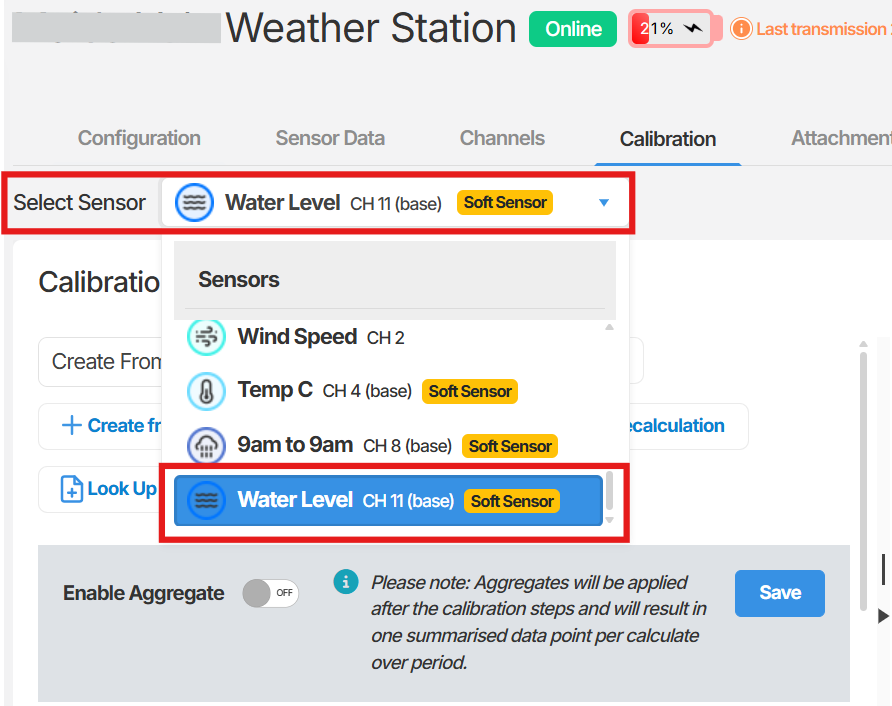
- From the Select Sensor dropdown, choose the soft sensor you created for the DTW measurement.
Apply the DTW template
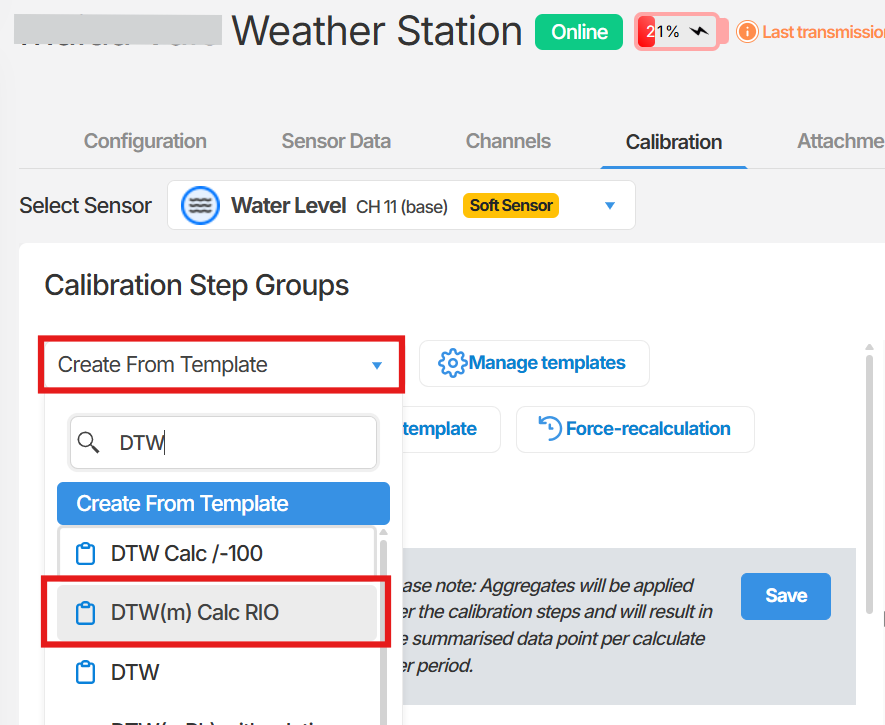
Section titled “Apply the DTW template”- Click Create From Template.
- In the search field, type DTW.
- Select the DTW template from the results.
Enter the required values
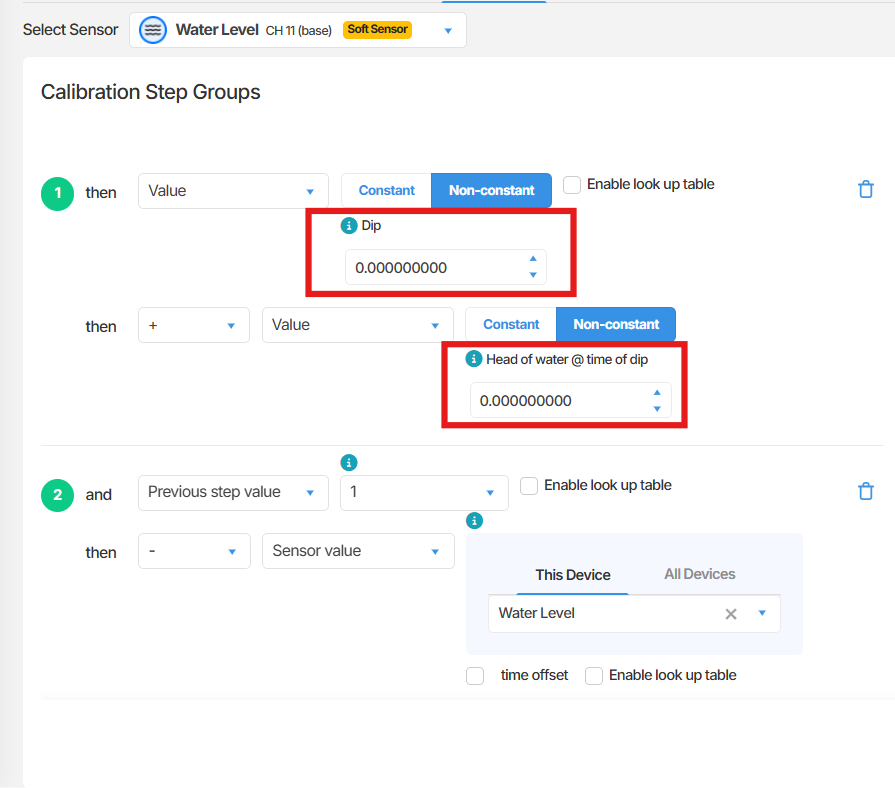
Section titled “Enter the required values”The DTW template requires two reference values taken at the same point in time:
- Dip - the manually measured depth to water at the time of the reference reading.
- Head of water at time of dip - the corresponding sensor level reading captured at the same moment as the dip.
- Enter the Dip value.
- Enter the Head of water at time of dip value.
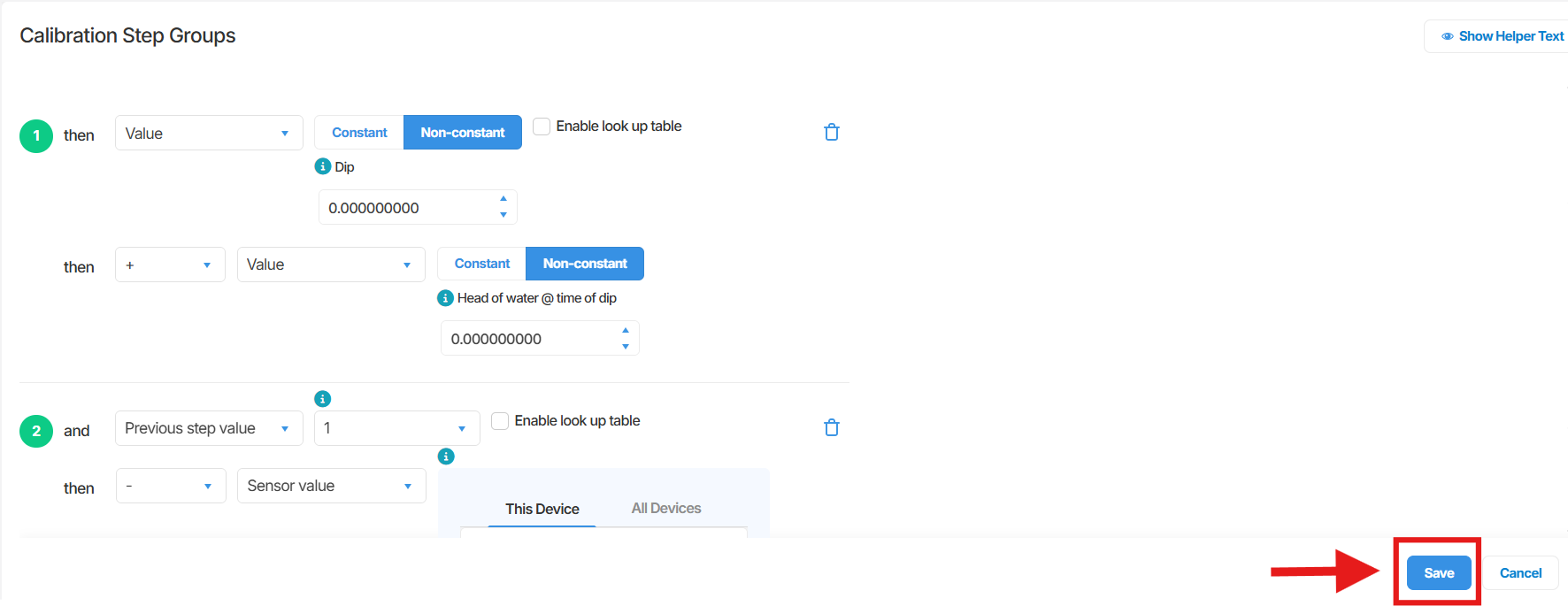
- Click Save.
Recalculate previous data
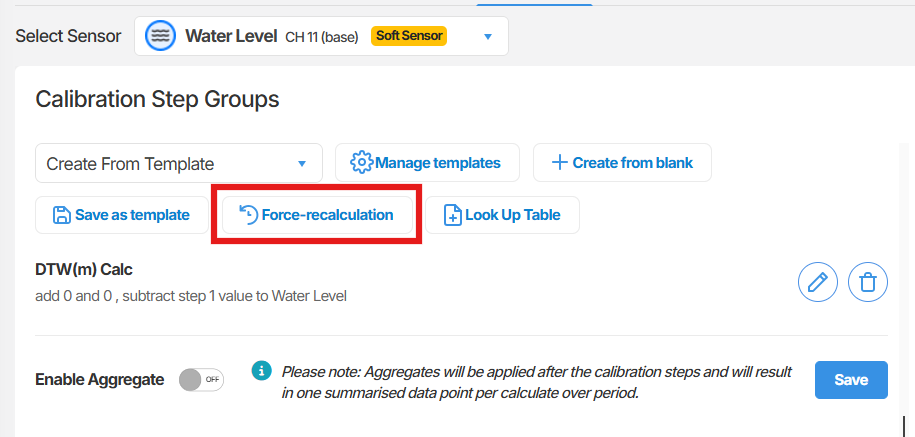
Section titled “Recalculate previous data”Saving the calibration applies it to new readings going forward. To apply the calibration to data already recorded against the sensor, run a force-recalculation.
For instructions, see Using Force-recalculation.
Summary
Section titled “Summary”This article covered how to apply a DTW calibration to an existing soft sensor in Orion Data. You opened the Calibration tab for the device, selected the soft sensor, applied the DTW template using Create From Template, entered the Dip and Head of water at time of dip values, and saved. Running a force-recalculation then applies the calibration to previously recorded data.
Next Steps
Section titled “Next Steps”- Verify the calibrated output by viewing the soft sensor’s recent readings.
- Run a force-recalculation to apply the calibration to historical data. See Using Force-recalculation.
- Configure alarms on the soft sensor if you need to be alerted to defined depth to water conditions.
Related articles
Section titled “Related articles”- Create a soft sensor
- Recalculate historical sensor data
- Calibrations and sensor values
- Setting up sensor alarms in Orion Data